Learn to Think, Write, and Create — With the Help of AI.
Most teens use AI casually — few know how to use it well. In this live session, they’ll learn to write clearly, design slides quickly, and create original visuals.
Jumpstart: AI Tools for Creative Thinking is fully hands-on. Students don’t just watch — they create.
By the end of the 2-hour session, your child will know how to use AI to think more clearly, write better, and present smarter — without any prior experience.
Skills They’ll Build
Use AI to brainstorm, write, and improve short content
Design clean, well-structured slides without prior design skills
Generate original visuals using words (posters, scenes, concept art)
Create one complete digital output — writing, slide, or visual
Understand how AI can support academics and creative work
Tools They’ll Use
Inside the Bootcamp: What Students Will Do
This isn’t a lecture. It’s focused, guided, and action-based — every segment teaches a skill, produces an output, and builds real confidence with AI tools.
AI in Real Life
What is AI, really — and why does it matter?
We open with a short thought experiment to help students connect AI with real life, not just trends.
✅ Students get clear on what AI can (and can’t) do — and why learning it matters.
Writing with AI (ChatGPT)
From idea to expression.
Students learn how to structure prompts, refine tone, and generate content — from bios to short posts.
✅ Each student writes and edits a small piece of content they can be proud of.
Slides in Seconds (Gamma)
Design without designing.
Students transform bullet points into clean, visual slides — no PowerPoint skills needed.
✅ Each student creates a short slide deck on a topic of their choice.
Create Art with Words (Ideogram)
Text into visuals.
They’ll learn to prompt visual tools to generate posters, concept art, or themed graphics.
✅ Each student generates their own AI visual and understands how prompts affect results.
Wrap-up
We end by reviewing each tool, highlighting what students created, and sharing how they can keep learning independently.
✅ They leave with real outputs, new skills, and clarity on how to keep practising with AI.
💡 All tools are web-based, safe, and designed for beginners. No downloads required.
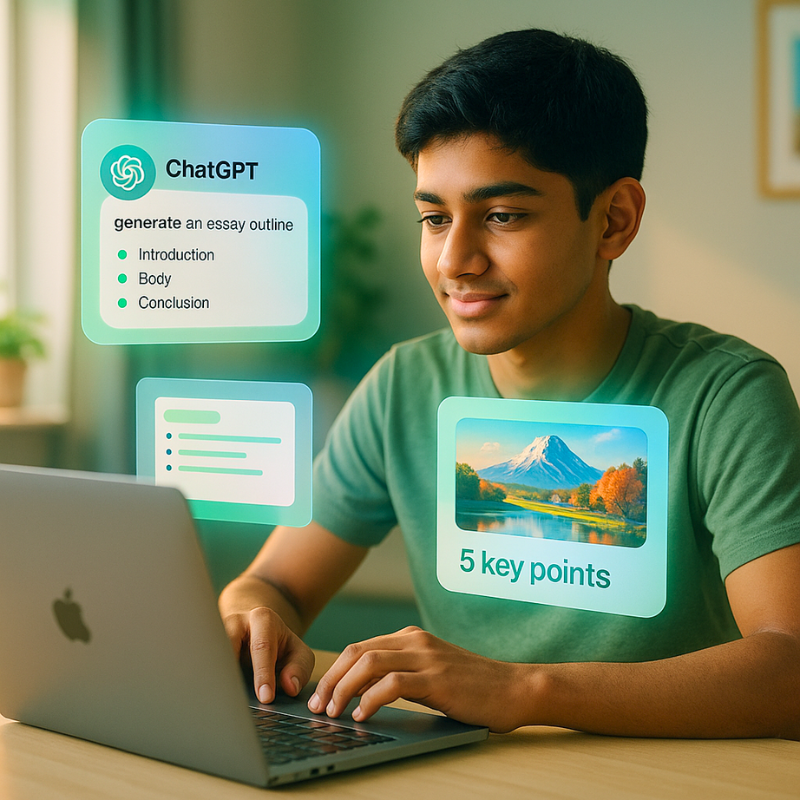
This is a real example of what students learn to build — in one session.
From writing and slide design to original visuals, each student completes a guided project using three AI tools: ChatGPT, Gamma, and Ideogram.
🔍 One session. One topic. Real tools. Real thinking.
Testimonials
“We’ve attended many online workshops, but this one felt different. It was practical, well-paced, and my daughter was fully involved the whole time. She even showed me the slide she made — I was genuinely surprised.”
“I was looking for something useful for my son during the weekend — not just entertainment. This session introduced him to tools that even I hadn’t heard of. He now knows how to use AI for schoolwork in a smart way.”
“The session helped my child understand how to use AI tools meaningfully — not just play around. It was structured, beginner-friendly, and something schools don’t cover. I’d recommend it to other parents.”
"I’d used ChatGPT before, but never like this. Now I know how to use it properly for writing and making answers sound better.”
“Gamma was fun. I didn’t know you could make slides without typing so much or designing everything. I finished my presentation faster than usual.”
With 12+ years across education, research, and international student success, I’ve helped learners in India and Europe build the skills schools often miss.
As your mentor, I bring deep hands-on experience with AI tools like ChatGPT and Gamma — not just as a user, but as someone who teaches students how to think and create with them.
Why learn from me?
Led global student recruitment and marketing for a top French engineering school
Designed AI-driven learning programmes for high school and college students
Former researcher at BARC and co-founder of EdTech and career guidance
Passionate about making future skills simple, structured, and accessible
“You don’t need to ‘catch up’ to AI — you just need to start using it with purpose. That’s what we’ll do together.”
Frequently Asked Questions (FAQs)
Who is this session for?
This session is ideal for high school students (typically ages 13–17) who are curious about AI, creativity, and modern digital tools. No prior experience is needed.
Will my child need to install anything?
No. All tools used — ChatGPT, Gamma, Ideogram, and others — are browser-based, free to access and require no downloads.
What if my child has never used AI before?
Perfect. This session is designed as a first experience with AI tools — explained step by step with guidance, examples, and real-time support.
Is the session conducted in English?
Yes. The session will be led in simple, clear English that students can easily follow. No technical or advanced vocabulary will be required.